Email Notifications: Vocab Task Updates
We've made a small but useful improvement to how teachers receive email notifications about Vocab task completion. Here's what's changed and how it works.
A new task completion email
We've added a new email notification option for teachers: the Vocab Task completion email. When switched on, this sends a summary of how learners are getting on with assigned tasks — showing status, time spent, accuracy, and completion percentage for each learner in the groups you're assigned to. Only the learning groups listed in your profile will appear in the email, keeping it focused and relevant.
How to check your settings
To switch it on, head to your account settings. Under Edit Account, you'll find three notification checkboxes:
- Email notifications — master switch for all email alerts
- Vocab weekly email — a weekly vocabulary summary
- Vocab Task completion email - a summary of learner task progress
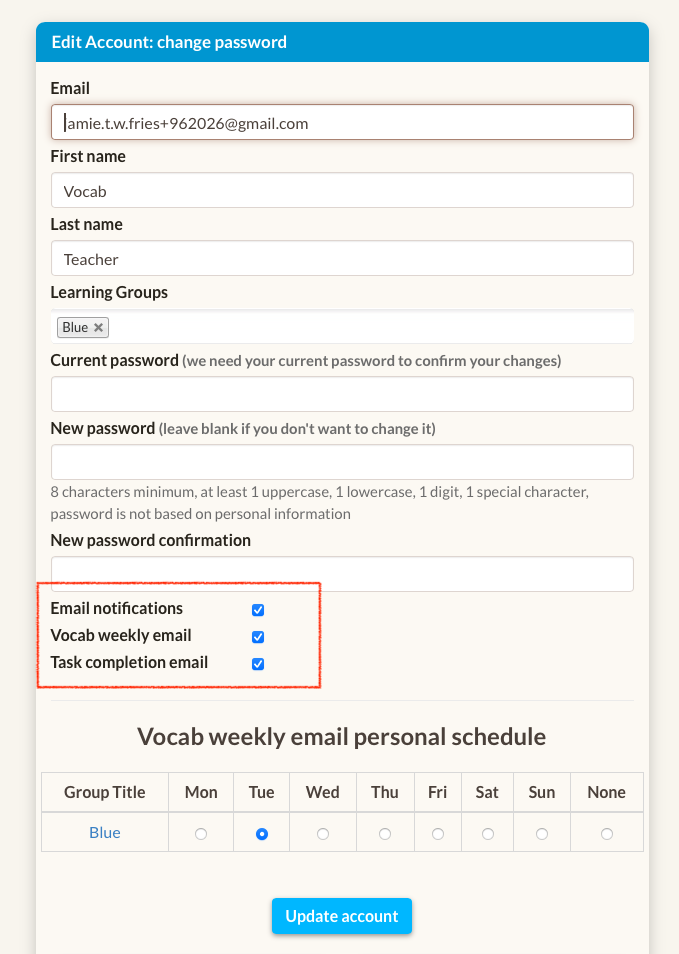
If a group is missing from your email, check that it has been added to your Learning Groups field in your account settings.
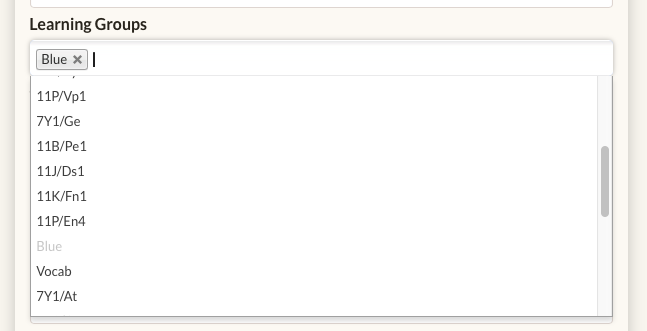
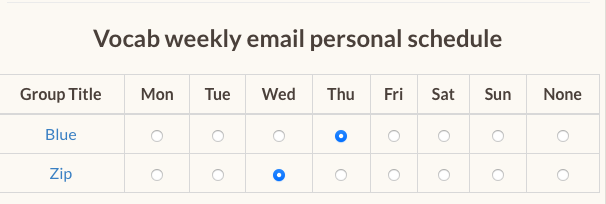
Pick your day
You may want to receive the email on the morning of the day you teach your group. Simply choose the day you'd like to receive the email for each group.
Emails are sent before 7am on the days of your choice.
What the task report shows
The email mirrors the data in the Vocab task report view, showing for each learner:
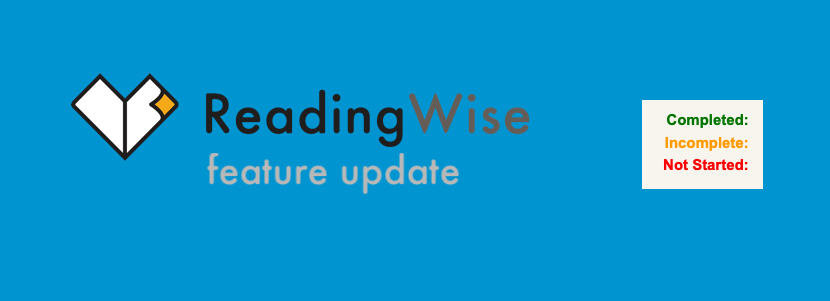
- Task name and status - Completed, Incomplete, or Not Started
- Time spent on the Vocab task
- Accuracy and completion percentage
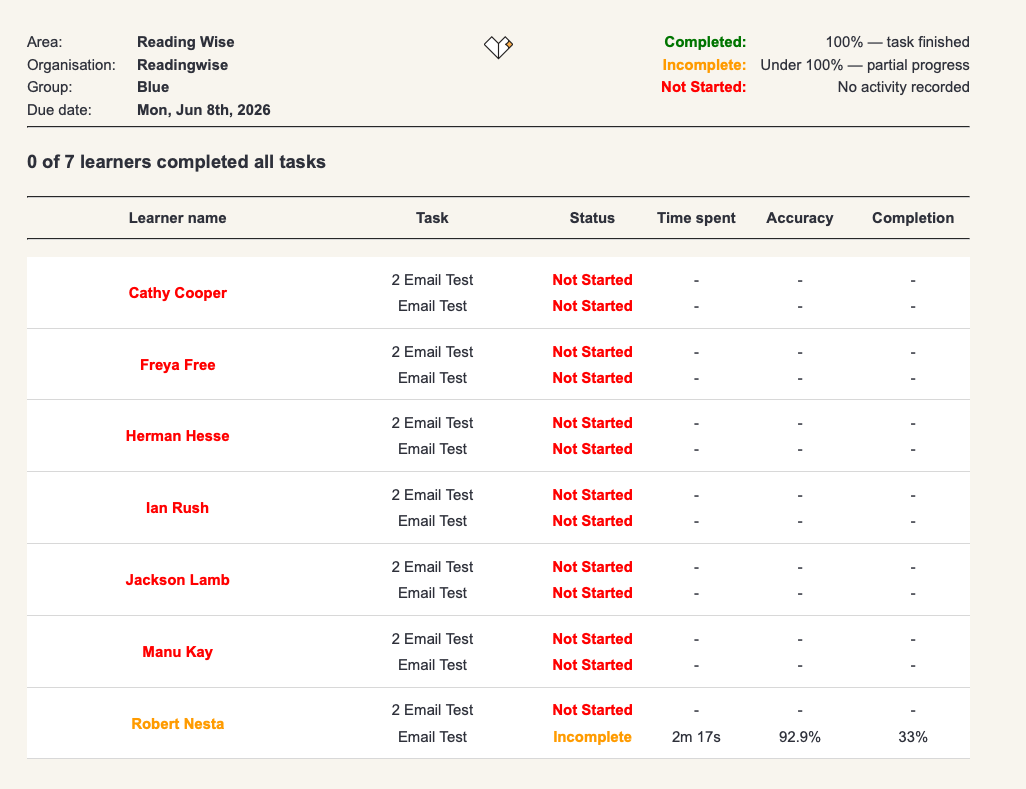
This makes it easy to spot at a glance which learners may need a nudge — without having to log in to the platform.